Desktop Cat
A downloadable toy for Windows
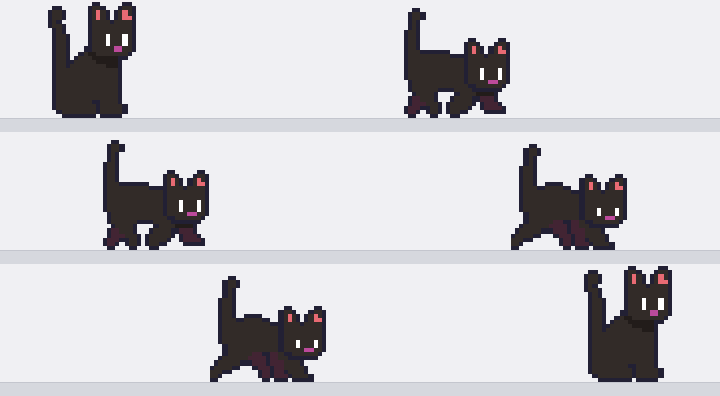
Desktop Cat is a small black cat that lives on top of your screen and behaves like an actual pet — not a looping animation.
It has needs — hunger, energy, mood — that drift over time, and it decides what to do on its own: wander across your monitors, sit and groom, chase its tail, nap when it's tired, beg at its bowl, do sudden zoomies, or climb onto the title bar of whatever window you're using. Leave it alone for ten minutes and it cycles through half a dozen behaviours without you touching it.
Mess with it
- Move the mouse over the cat to pet it — keep going and it flops over for a belly rub
- Left click: a quick pat. Right click: scratch behind the ear
- Hold right-click and drag: it chases the cursor like a toy on a string
- Ctrl+click: boop the nose. Middle click: it says something
- Double click: a treat, or send it to its bowl
- Pick it up by the scruff — usually it just grumbles and stays where you drop it; sometimes it bolts (never far)
- Over-pet it and it swats you and stalks off
- Ignore it too long and it walks over and meows at you
- Every so often it steals your cursor and walks it around for a second or two — three clicks or a firm tug and it lets go
There are 25+ interactions and every one is an on/off switch in Settings.
Make it yours
- Four personalities (playful / lazy / timid / affectionate) that change what it tends to do
- Life tempo: calm, normal, or hyper
- It remembers you between sessions — trust grows the more you interact, and a cat that trusts you barely reacts to being picked up
- Remembers where you left it and how it was feeling
- UI in English, Russian and Ukrainian
- Hides itself while a fullscreen game is running, so it never covers your session
- Drop in your own PNG sprite sheet if you'd rather it wasn't a black cat
Good to know
- Windows. Runs from the system tray: click the icon to show/hide, double-click for Settings, right-click for the menu (Quit is there).
- Free — donations welcome, never required.
- Settings and saves live in
%APPDATA%\DesktopCat, not the game folder.
Download
This toy is currently unavailable
Leave a comment
Log in with itch.io to leave a comment.