PickMe
A downloadable assistant for Windows and Android
PickMe is a cute AI assistant that lives on your PC and your phone — in a small pink window on your desktop and as a floating face over any app on Android.
What she can do:
• Chat in 6 languages (EN, RU, UK, PL, DE, ES) with a voice, 4 characters: sweet, tsundere, calm, sassy
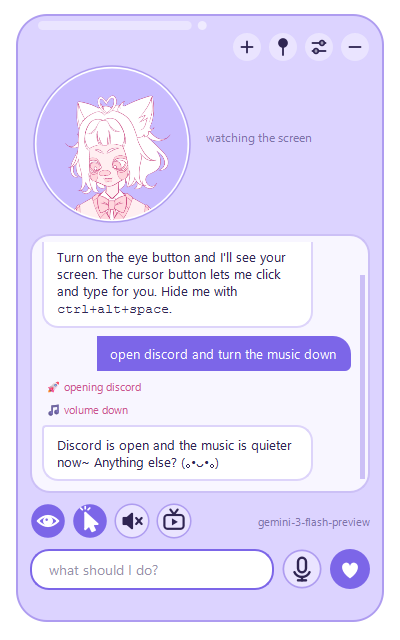
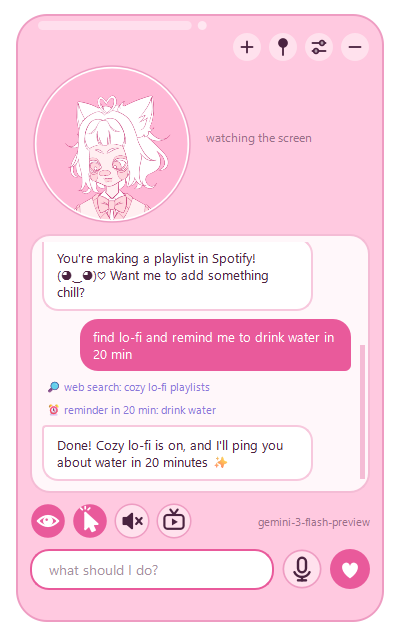
• See your screen (only when you turn on the eye button) and help with what's on it
• Circle any piece of the screen — she explains, translates or solves it
• On PC: control it when you allow (hand button) — open apps and sites, click, type
• Search the web, show pictures, set reminders and timers, focus timer, music control
• Remember things about you
• Watch videos / play games together and comment
• PC: wake word, push-to-talk (F8), Shift + right click on selected text
• Android: select text in any app → "Ask Mimi"; pinch her window like jelly
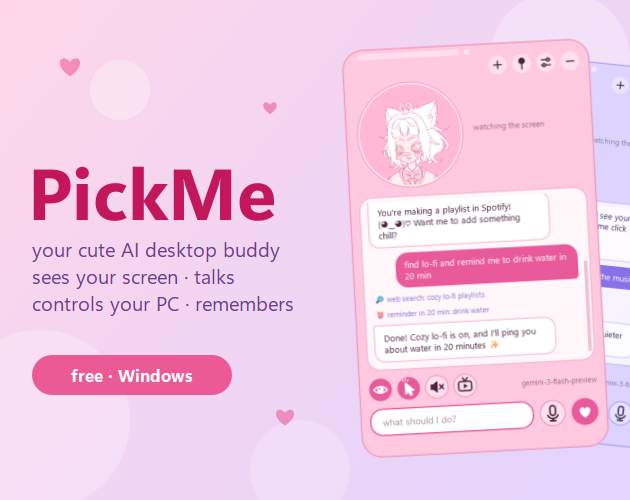
One shared chat on PC and phone:
Pair them once at home with a 6-digit code — then your chat and memory are shared, even when you're away. Away from home messages go through a small relay server and are end-to-end encrypted: only your devices can read them.
How to start:
PC — install PickMe-Setup.exe
Android — download PickMe-Android.apk, open it and allow installing from this source
Then get a free Gemini API key at aistudio.google.com/apikey and paste it in settings (Claude API key also supported on PC).
Privacy & permissions — why antivirus may complain:
On PC PickMe uses a global keyboard hook (hotkeys), a mouse hook (Shift + right click menu), screenshots (only when screen sharing is on) and the microphone (only when voice is on). On Android it asks to show over other apps, and screen recording only when you turn on the eye.
Your messages go only to the AI provider you choose (with your own key) and, if you pair PC and phone, through the encrypted relay. Memory and settings stay on your devices.
The .exe is not code-signed, so Windows SmartScreen may show "Unknown publisher" — click "More info" → "Run anyway".
Uninstall: PC — Windows Settings → Apps → PickMe. Android — hold the app icon → Uninstall.
Download
Click download now to get access to the following files:
Leave a comment
Log in with itch.io to leave a comment.